Does Home Depot Take Apple Pay? 2026 Checkout Guide

Quick answer: Yes, Home Depot takes Apple Pay in its U.S. stores. If you have been asking “does Home Depot take Apple Pay?”, the short version is this: you can tap your iPhone or Apple Watch at most registers and self-checkout lanes. Home Depot started turning on contactless payments in late 2024, and the rollout now covers most stores. Online is different. HomeDepot.com does not usually show Apple Pay at checkout, so plan to use a card or PayPal there.

This guide is set up as a checkout map. We walk through each place you might pay at Home Depot, from the self-checkout lane to the tool rental counter, and tell you what works, what may not, and what to carry as a backup. That way you are never stuck at the register with a full cart of lumber.
Does Home Depot Take Apple Pay? The Short History
The answer changed a few times, which is why so many old articles still say “no.” Here is the timeline in plain words:
- 2014 to 2015: Apple Pay worked at many Home Depot stores in its early days. The company later switched contactless payments off.
- 2015 to mid-2024: No tap-to-pay at all. Not for phones, and not for tap cards either. Shoppers had to swipe or insert a card, or use PayPal through the app.
- Summer to fall 2024: Home Depot quietly began turning contactless back on. The company told 9to5Mac it had started rolling out contactless as a payment option in U.S. stores and expected most stores and registers to have it later that year.
- 2025 to now: Apple Pay is accepted at most U.S. Home Depot stores. A few older registers or special counters may still be the exception.
So if you read a post that says Home Depot refuses Apple Pay, check the date. It is likely from before late 2024.
Home Depot Apple Pay Checkout Map: Where It Works
Not every payment point inside one store runs on the same system. This table shows what to expect at each spot.
| Where you pay | Apple Pay? | What to know |
|---|---|---|
| Front registers (cashier) | Yes, at most stores | Look for the contactless symbol on the card reader. |
| Self-checkout lanes | Yes, at most stores | Often the first place the new readers showed up. |
| Garden center registers | Usually yes | Same readers as the front in most stores. |
| Pro Desk / contractor desk | Usually yes, may vary | Large or account-based orders may use other steps. |
| Tool and truck rental counter | May vary | Rentals often need a physical card for the deposit hold. |
| HomeDepot.com | Not usually | Use a credit or debit card, PayPal, or a gift card. |
| Home Depot app (online orders) | Not usually | Same options as the website. |
Store-by-store rollouts are never perfect. If a reader at one lane does not respond, try another lane before you give up.

How to Use Apple Pay at Home Depot (Step by Step)
Paying takes about two seconds once your card is set up. Here is how.
Before you go
- Open the Wallet app on your iPhone.
- Tap the plus (+) button and add your credit or debit card.
- Pick a default card. If you have a Home Depot credit card, you can add it too, as long as your issuer supports Apple Pay.
At the register
- Wait until the cashier or self-checkout screen shows the total.
- iPhone with Face ID: double-click the side button, look at your phone, then hold the top of the phone near the reader.
- iPhone with Touch ID: rest your finger on Touch ID and hold the phone near the reader.
- Apple Watch: double-click the side button and hold the watch face near the reader.
- Wait for “Done” and a check mark on your device. The register will print or email your receipt.
Want more detail on setup? Apple explains it on its Apple Pay page.

Apple Pay Not Working at Home Depot? Quick Fixes
Most problems are small. Run through this checklist before you pull out your wallet:
- Wait for the total. Some readers only wake up after the cashier finishes ringing you up.
- Hold the phone still. Keep the top of your iPhone flat over the contactless symbol for a second or two.
- Try another lane. A few older readers may not have the update yet.
- Check your card. A declined tap is often a bank issue, not a store issue. Try a second card in Wallet.
- Big purchase? Your bank may flag a large tool or appliance buy. Check your banking app for a fraud alert.
- Remove a thick case. Metal or magnetic cases can block the signal.
Other Ways to Pay at Home Depot
Apple Pay is not your only option. Since the stores now read contactless, a lot of wallets work the same way.
| Payment method | In store | Online |
|---|---|---|
| Apple Pay | Yes (most stores) | Not usually |
| Google Pay / Samsung Pay | Yes (same tap readers) | Not usually |
| Tap-to-pay credit or debit card | Yes | N/A |
| Visa, Mastercard, Amex, Discover (U.S.) | Yes | Yes |
| Home Depot credit cards | Yes | Yes |
| PayPal | Yes, via app QR code at many stores | Yes |
| Home Depot gift cards | Yes | Yes |
| Cash | Yes | No |
Tip for Canada shoppers: Home Depot Canada has its own payment rules. Its FAQ says it does not take Discover cards, so check the Canadian site before you shop.

Is Apple Pay Safe for Big Home Depot Purchases?
Yes, and it may be safer than swiping. Apple Pay does not share your real card number with the store. It sends a one-time code (a “token”) instead. Each payment also needs your Face ID, Touch ID or passcode. That matters at a store like Home Depot, which had a large card data breach in 2014. If the store’s systems were ever hit again, your actual card number would not be sitting there.
One thing to remember: returns. If you paid with Apple Pay, the refund usually goes back to the same card. Bring your receipt and the same phone or card, since the cashier may ask you to tap again to match the payment.
Smart Ways to Pay for Your Next Home Project
Shopping for a weekend fix? Pair the right payment with the right project:
- Small parts for a leaky faucet repair or a running toilet fix? A quick Apple Pay tap at self-checkout is the fastest way out the door.
- Buying boxes of planks for a laminate or LVP flooring install? Use a card with good purchase protection or rewards, and add it to Apple Pay so you still get the points.
- Renting? Check our renter-friendly home repairs guide before you buy anything you cannot return.

FAQs: Does Home Depot Take Apple Pay?
Does Home Depot take Apple Pay in all stores?
Most U.S. stores take it now. The rollout started in 2024 and reached most stores and registers. A few older readers or special counters, like tool rental, may still not accept it.
Can I use Apple Pay on HomeDepot.com or the app?
Not usually. Apple Pay is mainly an in-store option at Home Depot. Online, use a credit or debit card, a Home Depot card, PayPal or a gift card.
Does Home Depot take Apple Pay on Apple Watch?
Yes. Any register that reads contactless will take your Apple Watch too. Double-click the side button and hold the watch near the reader.
Does Home Depot take Google Pay and tap cards?
Yes. The same contactless readers take Google Pay, Samsung Pay and tap-to-pay bank cards.
Why did Home Depot stop taking Apple Pay before?
Home Depot switched off contactless payments around 2015 and pushed other options like PayPal. It never fully explained why. It turned contactless back on starting in 2024.
Conclusion
So, does Home Depot take Apple Pay? Yes, in most U.S. stores, at both cashier lanes and self-checkout. Just tap your iPhone or Apple Watch on the contactless reader. Online is the main gap, so keep a card or PayPal ready for HomeDepot.com. And when you head out for supplies, carry one physical card as a backup in case a rental counter or an older reader says no.

Muhammad Amjad Butt
Founder of HomeKiTips
Muhammad Amjad Butt is the founder of HomeKiTips. He writes practical guides on home repair, maintenance, cleaning and decor. Each guide is built from manufacturer instructions, building standards and current cost data, then turned into clear steps that anyone can follow. For structural work, he always recommends a qualified tradesperson.
You may also like

Painting Roadside Dresser Nautical Blue Without Stripping
Step-by-step process for painting roadside dresser nautical blue without stripping. Includes prep, primer, paint, and sealing tips.
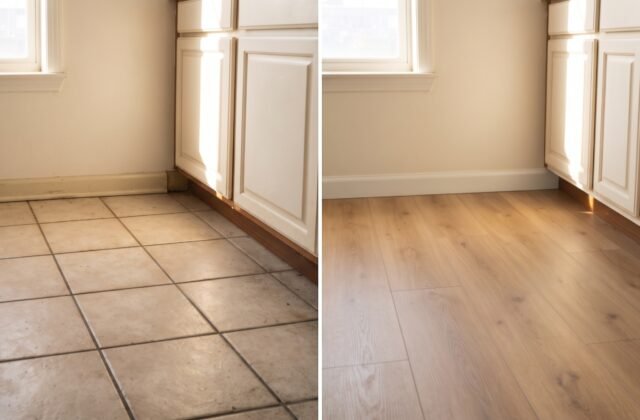
Best Renter-Friendly Ways to Cover Ugly Apartment Tiles (2026 Budget Guide)
Hate your rental's ugly tiles? Explore easy, deposit-safe ways to cover old floors and walls—plus plan your budget with our…

How Long Does a GRP Fibreglass Flat Roof Last? (Year-by-Year)
A GRP fibreglass flat roof lasts 25 to 30+ years. See a year-by-year timeline, what shortens its life, warranty facts…
Questions and tips from readers (1)